
In today’s digital landscape, having a WordPress website is a popular choice for bloggers, businesses, and entrepreneurs alike. However, with its widespread use comes increased vulnerability to cyber threats, malware, and hacking attempts. For newcomers to WordPress, understanding security essentials is crucial to protect your valuable content, customer data, and online reputation. This article presents must-know “WordPress security tips” designed specifically for beginners, enabling you to shield your site effectively while focusing on growth and engagement. Incorporating essential WordPress security tips can significantly improve your site’s resilience against common threats.
Why WordPress Security Matters
WordPress powers over 40% of all websites on the internet, making it a prime target for cybercriminals. A compromised site can lead to data breaches, loss of visitors, and damage to your brand’s credibility. Many security breaches result from simple oversights, such as outdated plugins, weak passwords, or unsecured hosting environments. As a beginner, implementing foundational security measures can prevent most attacks and ensure your website remains safe and functional.
Understanding WordPress security tips is vital due to the platform’s popularity, making it a target for attacks. Ensuring your site is secure begins with implementing the right strategies.
1. Keep WordPress Core, Themes, and Plugins Updated
One of the simplest yet most effective security practices is regularly updating your WordPress installation, themes, and plugins. Developers frequently release updates to patch vulnerabilities and improve security features. Failing to update can leave your site exposed to known exploits.
How to do it:
- Navigate to your WordPress dashboard.
- Under “Updates,” review available updates.
- Update core files, themes, and plugins promptly.
- Enable automatic updates where possible for essential components.
2. Use Strong, Unique Passwords and Enable Two-Factor Authentication
Weak passwords are a common entry point for hackers. Use complex passwords combining uppercase, lowercase, numbers, and symbols. Additionally, enabling two-factor authentication (2FA) adds an extra layer of security by requiring a second verification step when logging in.
How to do it:
- Use a password manager to generate and store strong passwords.
- Install security plugins like Wordfence or Google Authenticator to activate 2FA.
- Avoid using default usernames like “admin.”
Another critical component of WordPress security tips is the use of scheduled updates. Regular updates are essential for maintaining the integrity of your website’s security.
- How to build your first website using Elementskit for free
- How to Install Elementor on WordPress (Beginner’s Step-by-Step Guide)
3. Install a Reliable Security Plugin
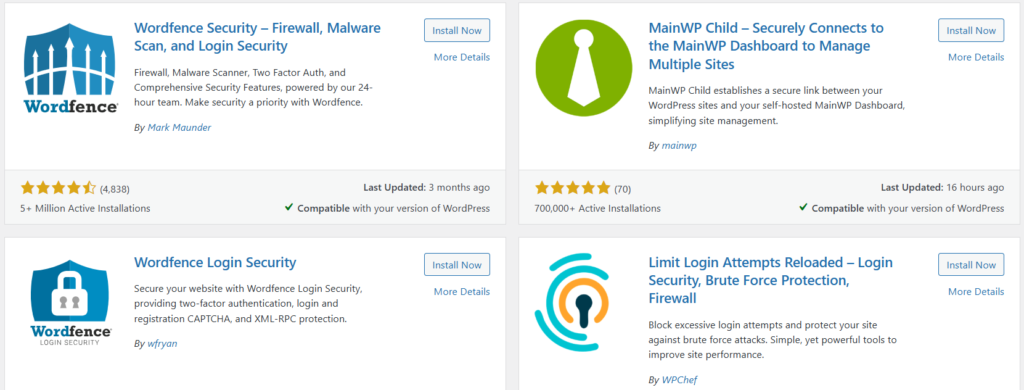
Security plugins provide comprehensive protection, including malware scanning, firewall rules, login attempt monitoring, and more. Popular options include Wordfence, Sucuri Security, and iThemes Security.
How to do it:
- Choose a reputable security plugin compatible with your version of WordPress.
- Install and activate the plugin from the plugin repository.
- Configure settings according to your website’s needs, focusing on real-time monitoring and automatic scans.
4. Regular Backup Your Website
Backups are your safety net in case of hacking, server failure, or accidental data loss. Regular backups ensure you can restore your site swiftly without significant downtime.
How to do it:
Utilizing WordPress security tips also involves choosing the right security plugin that meets your specific needs and offers robust protection.
- Use backup plugins like UpdraftPlus or BackupBuddy.
- Schedule automatic backups to cloud storage services such as Dropbox, Google Drive, or Amazon S3.
- Store backups in multiple locations for redundancy.
5. Secure Your Hosting Environment
Choosing a reputable hosting provider with security features is vital. Look for hosts that offer SSL certificates, firewalls, malware scanning, and automatic updates.
How to Host a Website for Free (Beginner-Friendly Guide)
How to do it:
- Select a hosting service that prioritizes security.
- Enable SSL certificates to encrypt data transmission.
- Configure firewalls and anti-malware protections provided by your host.
When implementing WordPress security tips, it’s crucial to ensure that your data is backed up regularly to prevent loss in case of an attack.
6. Limit Login Attempts and Use CAPTCHA
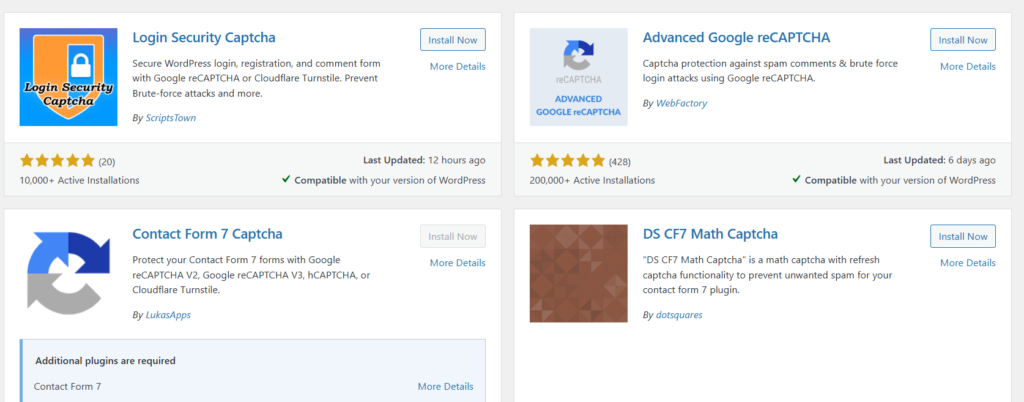
Prevent brute-force attacks by limiting login attempts and adding CAPTCHA tests on login pages. This discourages automated hacking tools.
How to do it:
- Use security plugins to restrict login retries.
- Implement CAPTCHA services like reCAPTCHA on login and registration forms.
7. Disable File Editing and Change Default Admin Username
Restricting file editing through the dashboard prevents hackers from injecting malicious code via the editor. Additionally, changing the default “admin” username makes brute-force attacks more difficult.
Applying WordPress security tips not only protects your site but also builds trust with your audience as they feel secure while interacting with your content.
Part of the WordPress security tips includes selecting a hosting provider that prioritizes security features and offers excellent customer support.
How to do it:
- Add code to your wp-config.php file to disable file editing.
- Create a new admin user with a unique username and delete the default one.
8. Monitor Your Site’s Activity
Regularly reviewing user activity and login logs helps identify suspicious behavior early. Many security plugins offer activity logs and alerts.
How to do it:
- Enable activity monitoring features in your security plugin.
- Set up email alerts for failed logins or unusual activities.
Summary
Implementing WordPress security tips like limiting login attempts can greatly reduce the chances of unauthorized access to your site.
Securing your WordPress site as a beginner may seem daunting, but with a few fundamental practices, you can substantially reduce your vulnerability to cyber threats. Keeping your site updated, using strong passwords and 2FA, installing reliable security plugins, backing up regularly, securing your hosting environment, limiting login attempts, disabling file editing, and monitoring activity are all essential steps in establishing a robust security posture.
In the rapidly evolving world of cybersecurity, proactive measures are your best defense. As a WordPress newcomer, adopting these essential security tips will help safeguard your website, protect your content, and ensure peace of mind. Remember, website security is an ongoing process. Stay vigilant, keep your systems updated, and regularly review your security practices to stay one step ahead of potential threats. By implementing these best practices, you’re laying a strong foundation for a safe, reliable, and successful online presence.
Note: Always stay informed about the latest security threats and continuously improve your site’s defenses. Your website’s security is an investment in your digital future.
Finalizing the list of effective WordPress security tips includes monitoring your site’s activity to catch any abnormalities early.
In summary, these WordPress security tips are essential for establishing a secure online presence and should be a priority for all WordPress users.

Ship from China to Africa