

WordPress web design is one of the most in-demand digital skills today, allowing beginners and professionals to create stunning websites without writing complex code. Whether you want to build a personal blog, business website, online store, or portfolio, WordPress provides all the tools needed to design functional and professional websites easily. In this introduction, you’ll learn what WordPress is, how it works, the tools you need, and how to start designing websites step by step, even if you have no prior experience. By the end of this guide, you’ll understand why WordPress powers over 40% of websites on the internet and how you can use it to create your own.
Watch Instead of Reading? Video Tutorial Available
If you prefer learning visually, we’ve created a step-by-step video tutorial that walks you through domain setup, WordPress installation, theme customization, and plugin configuration.
What Is WordPress Web Design?
WordPress web design refers to the process of creating and customizing websites using the WordPress content management system (CMS). Users can design websites through themes, plugins, and visual builders rather than manual coding.
There are two main versions of WordPress:
- WordPress.org – Self-hosted and fully customizable (recommended for professionals)
- WordPress.com – Hosted platform with limited customization
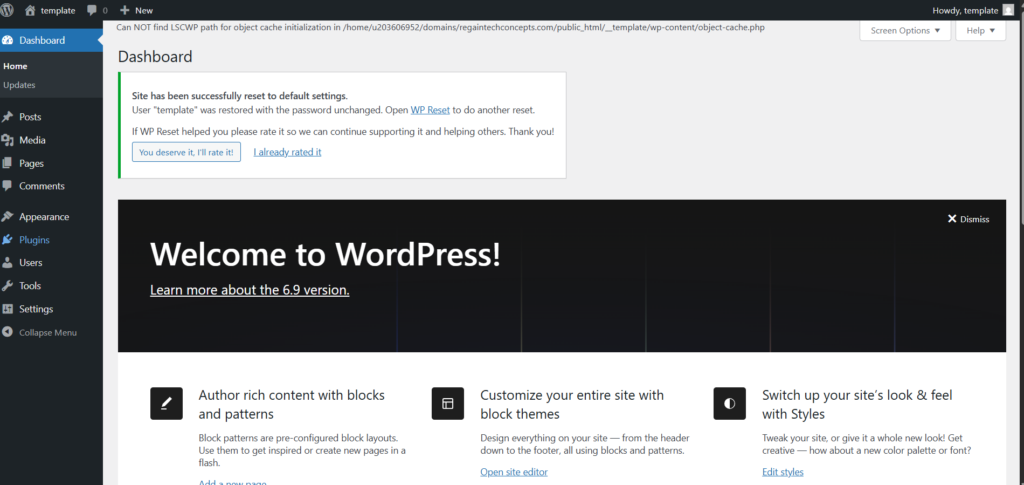
Why Choose WordPress for Web Design? (H2)
WordPress is popular because it combines flexibility, simplicity, and scalability.
Key Benefits of WordPress Web Design
- Beginner-friendly interface
- Thousands of free and premium themes
- Powerful plugins for added functionality
- SEO-friendly structure
- Mobile-responsive designs
- Large community support
These features make WordPress ideal for bloggers, entrepreneurs, freelancers, and businesses of all sizes.
Essential Tools Needed for WordPress Web Design
Before designing your website, you’ll need the following:
1. Domain Name
Your website address (e.g., www.emerenini.com)
2. Web Hosting
Reliable hosting providers include:
- Hostinger
- Bluehost
- SiteGround
3. WordPress Installation
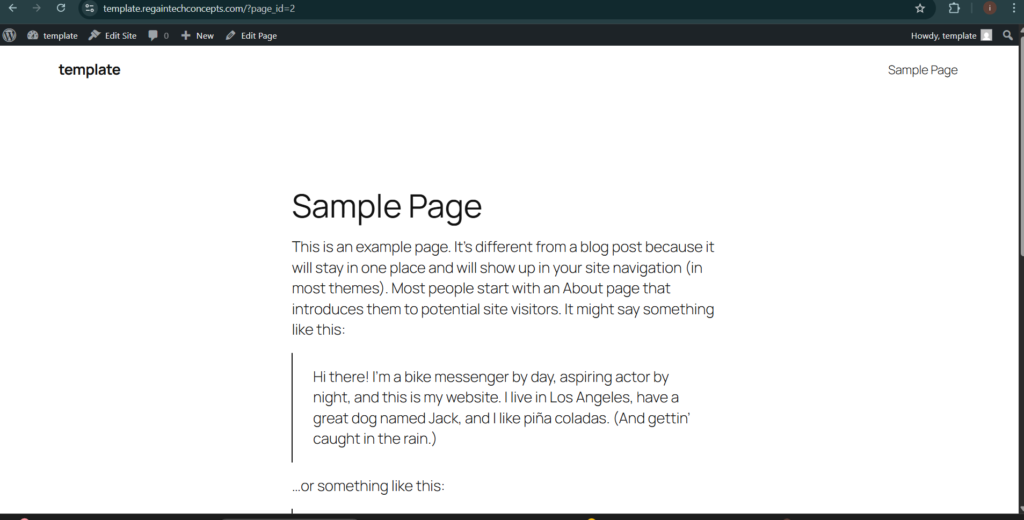
Most hosting providers offer one-click installation.
4. Theme
Themes control your website’s design and layout.
5. Plugins
Plugins add features such as:
- SEO optimization
- Security
- Contact forms
- Page builders
Understanding WordPress Themes
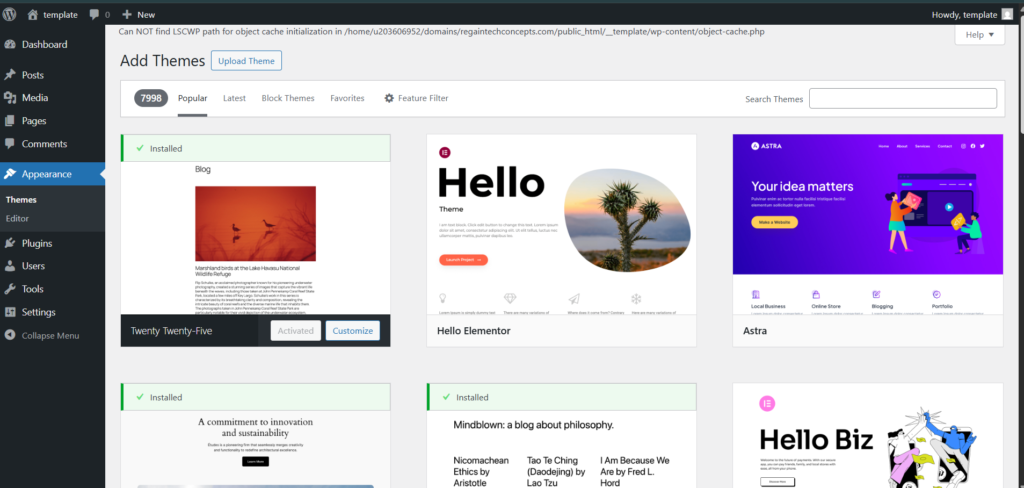
Themes define how your website looks.
Themes define how your website looks.
- Astra
- GeneratePress
- OceanWP
- Neve
When choosing a theme, consider:
- Speed optimization
- Mobile responsiveness
- Compatibility with page builders
Learn more in our guide on How to Choose the Best WordPress Theme for Your Website
Using Page Builders for WordPress Web Design
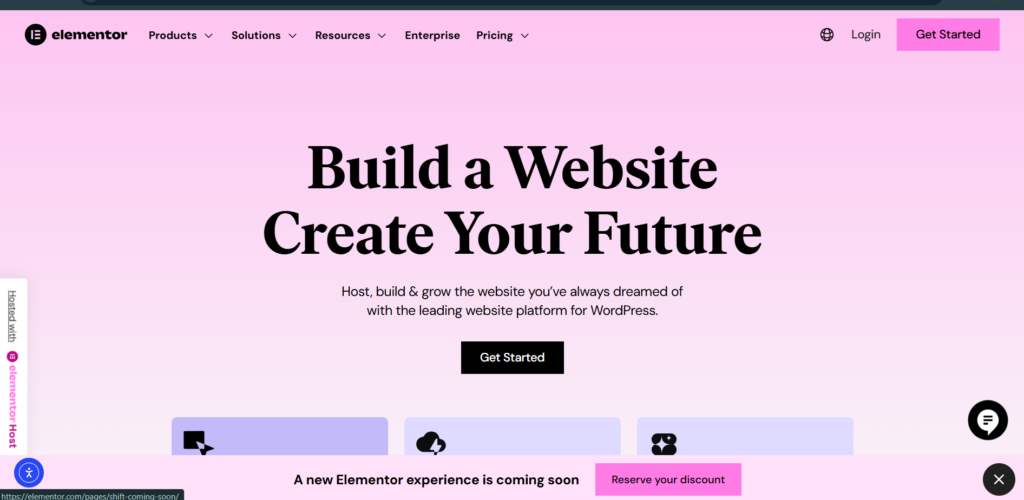
Page builders make WordPress web design visual and beginner-friendly.
Top WordPress Page Builders
- Elementor
- Gutenberg (Block Editor)
- Divi Builder
- Beaver Builder
With page builders, you can:
- Drag and drop elements
- Customize layouts visually
- Design pages without coding
Important Plugins for Web Design
Plugins enhance your website’s functionality.
Must-Have Plugins
- Yoast SEO / Rank Math – SEO optimization
- Elementor – Page builder
- WPForms – Contact forms
- WooCommerce – Online store
- Wordfence – Security
Please read our detailed article on Best Plugins for Beginners
Basic Steps to Design a WordPress Website (H2)
Follow these steps to get started:
- Buy domain and hosting
- Install WordPress
- Choose and install a theme
- Install essential plugins
- Create pages (Home, About, Contact)
- Customize design using page builder
- Optimize for SEO and mobile devices
- Publish your website
SEO Best Practices for WordPress Web Design (H2)
WordPress is SEO-friendly, but optimization is still essential.
- Beginner’s Guide to Learning Web Design Step by Step
- Best Digital Skills for Freelancers
- How to Learn Graphic Design Online (Tools, Skills, and Roadmap for Beginners)
SEO Tips
- Use SEO plugins
- Optimize images with ALT text
- Use clean permalinks
- Add internal links
- Improve page speed
- Use responsive design
Check out SEO Optimization for Beginners
Frequently Asked Questions (FAQ)
Is WordPress web design suitable for beginners?
Do I need coding skills to design a WordPress website?
How long does it take to learn?
Can I make money with it?
WordPress web design is a powerful skill that opens doors to online opportunities, freelancing, and business growth. With its flexible ecosystem of themes, plugins, and visual builders, anyone can create professional websites without technical barriers.
If you’re serious about learning WordPress web design, start practicing today, and don’t forget to check out our related guides and video tutorials to speed up your learning journey.
Related Topics
- How to Start a Blog with WordPress
- Best WordPress Themes for Beginners
- WordPress SEO Optimization Guide
- How to Make Money with WordPress
Table of Contents
Quick Links
- How to Turn a Smartphone Into a Full-Time Income Machine: Step-by-Step Guide.
- Essential WordPress Security Tips to Protect Your Website Effectively
- How to build your first website using Elementskit for free
- WordPress Posts vs Pages: What’s the Difference and When to Use Each
- How to Write Your First WordPress Blog Post (Step-by-Step Beginner Guide)



[…] Introduction to WordPress Web Design: A Beginner’s Step-by-Step Guide […]
[…] Introduction to WordPress Web Design: A Beginner’s Step-by-Step Guide […]
[…] Introduction to WordPress Web Design: A Beginner’s Step-by-Step Guide […]
[…] Introduction to WordPress Web Design: A Beginner’s Step-by-Step Guide […]
[…] Introduction to WordPress Web Design: A Beginner’s Step-by-Step Guide […]