


Search engine optimization (SEO) is the backbone of online visibility. Without proper SEO, even the most beautifully designed website will struggle to rank on Google or attract organic traffic. This article, “How to install Rank Math SEO Plugin & Setup.“
If you run a WordPress site like Emerenini.com, installing the right SEO plugin is essential. That’s where Rank Math comes in.
In this complete guide on how to set up Rank Math SEO on a WordPress Website, you’ll learn how to:
- Install Rank Math correctly
- Configure essential settings
- Optimize posts and pages
- Improve SEO scores
- Prepare your site for Google Ads approval
- Drive organic traffic and boost engagement
When implemented properly, Rank Math can transform your website into a search-optimized, monetization-ready platform.
Why Rank Math Is Essential for WordPress SEO
Rank Math is one of the most powerful SEO plugins available for WordPress. It helps website owners:
- Optimize on-page SEO
- Generate XML sitemaps
- Add schema markup
- Monitor keyword performance
- Improve content readability
- Integrate with Google Search Console
For beginners and professionals alike, learning how to set up Rank Math SEO on WordPress website is one of the smartest moves for long-term growth.
Step 1: Install Rank Math SEO Plugin
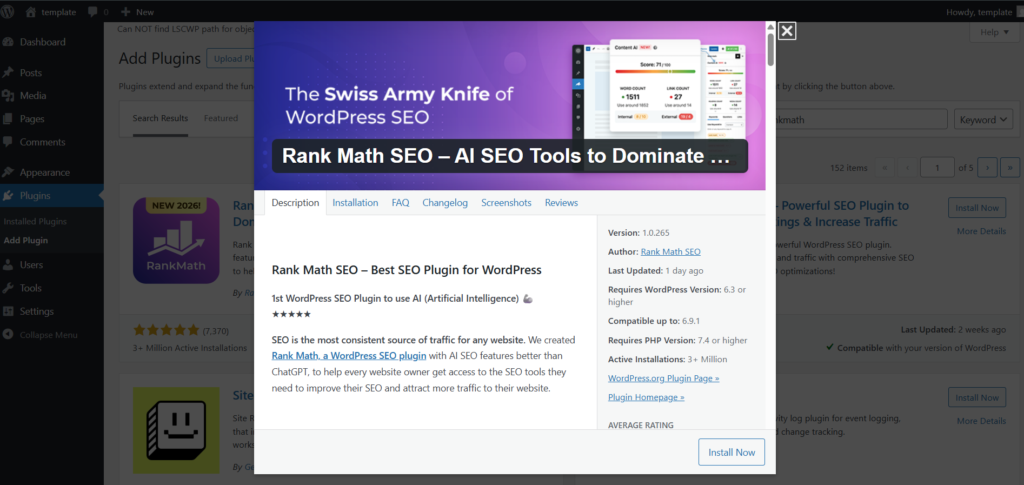
How to Install Rank Math
- Log in to your WordPress dashboard
- Navigate to Plugins → Add New
- Search for “Rank Math SEO”
- Click Install Now
- Click Activate
After activation, the Setup Wizard will automatically launch.
Step 2: Run the Rank Math Setup Wizard
Rank Math provides an easy configuration wizard.
Prefer Watching Full Video Tutorial
Basic Setup Mode (Recommended for Beginners)
Choose Easy Mode if you’re new.
During setup:
- Connect your Rank Math account
- Connect Google Search Console
- Set website type (Blog, Business, eCommerce)
- Add logo for Google schema
- Enable sitemap
This ensures your foundational SEO settings are correctly configured.
Step 3: Configure Essential Rank Math Settings
After the wizard, go to:
Rank Math → General Settings
1. Links Settings
- Enable “Open external links in new tab”
- Enable “NoFollow external links” (optional)
2. Images Settings
- Enable automatic ALT attribute generation
- Enable automatic title attributes
This improves image SEO and accessibility.
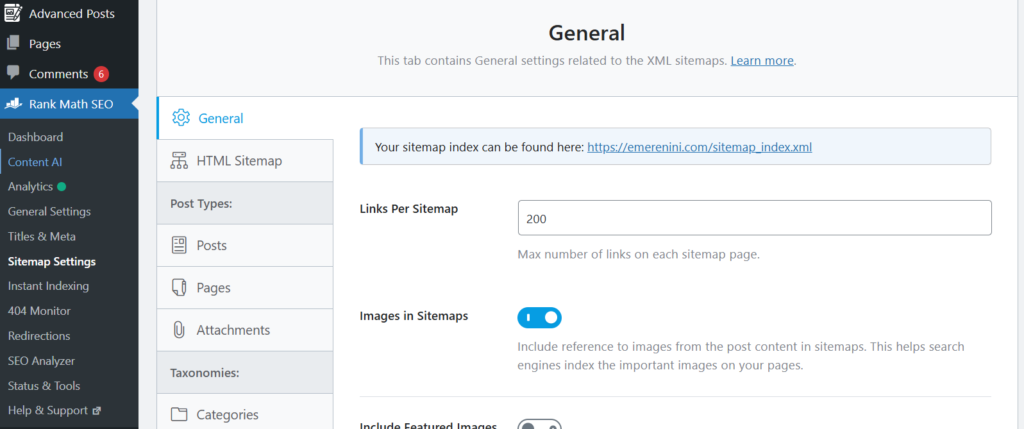
Step 4: Enable XML Sitemap
XML sitemaps help search engines crawl your website efficiently.
Go to:
Rank Math → Sitemap Settings
Enable:
- Posts sitemap
- Pages sitemap
- Category sitemap (optional)
Submit your sitemap to Google Search Console:
https://yourdomain.com/sitemap_index.xml
Step 5: Configure Schema Markup
Schema improves your chances of getting rich snippets in Google search results.
Go to:
Rank Math → Titles & Meta → Posts
Set default schema type:
- Article (for blog posts)
- Page (for static pages)
- Product (for WooCommerce sites)
Schema helps Google understand your content better and improves click-through rates.
Step 6: Optimize Individual Posts and Pages
Now that technical settings are complete, focus on on-page optimization.
When editing a post:
- Enter your focus keyword
- Write a compelling meta title
- Write a meta description
- Ensure keyword appears in:
- Title
- First paragraph
- At least one H2
- URL slug
- Title
- Add internal links
- Add external authority links
- Optimize images with ALT text
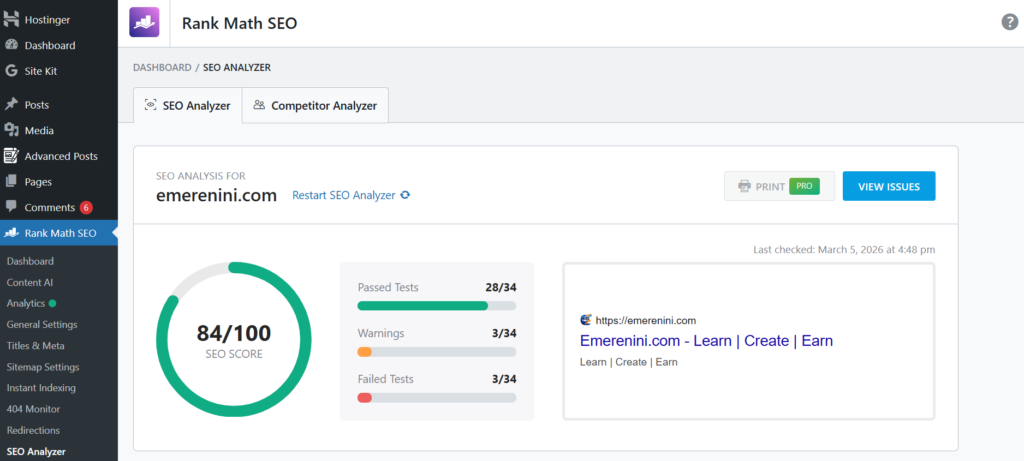
To achieve a 100/100 Rank Math score:
✔ Focus keyword density between 0.5%–2%
✔ Short paragraphs
✔ Proper heading structure
✔ 1200+ words for pillar content
✔ Outbound links
✔ Internal links
Key Features of Rank Math You Must Use
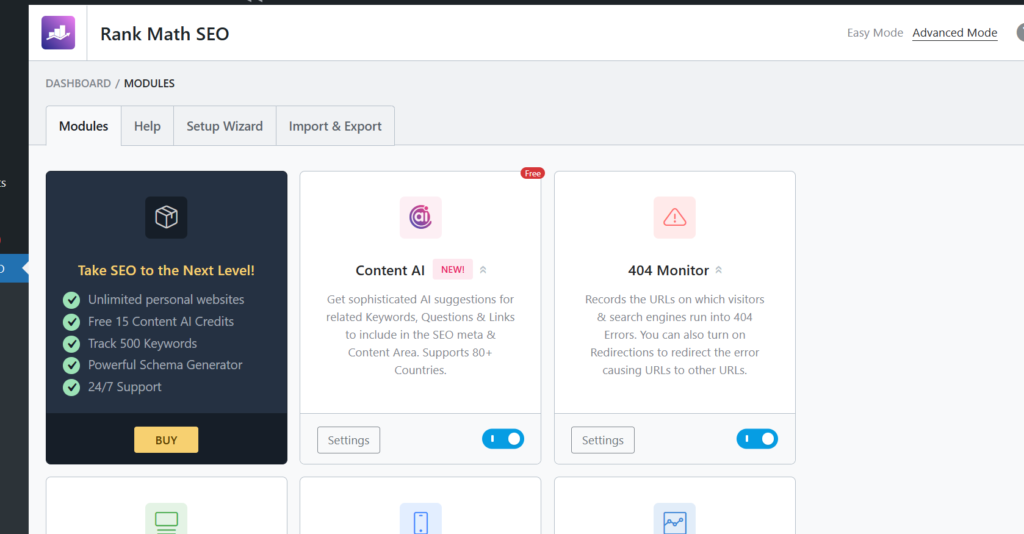
1. Content AI (Premium)
Suggests keyword variations and content improvements.
2. Redirection Manager
Fix broken links and maintain SEO equity.
3. 404 Monitor
Track broken URLs that hurt user experience.
4. SEO Analyzer
Run a full website SEO audit to identify issues.
5. WooCommerce SEO
Optimize product pages automatically.
These features make learning how to set up Rank Math SEO on a WordPress website incredibly valuable for long-term traffic growth.
Do You Need a Website? Click Here
- Essential WordPress Plugins Every Beginner Needs
- How to Backup WordPress Website
- Best WordPress Hosting for Beginners
Learning how to set up Rank Math SEO on WordPress website is one of the most powerful steps you can take to improve visibility, traffic, and monetization potential.
With proper configuration, Rank Math helps you:
- Optimize content effectively
- Improve technical SEO
- Generate XML sitemaps
- Add schema markup
- Increase click-through rates
- Prepare for Google Ads approval
When combined with quality content and strong internal linking, Rank Math becomes a growth engine for your WordPress website.
If implemented correctly on Emerenini.com, it can significantly increase organic traffic, user engagement, and long-term revenue potential.
Explore free AI tools
Table of Contents

Pages
Posts
- How to Turn a Smartphone Into a Full-Time Income Machine: Step-by-Step Guide.
- Essential WordPress Security Tips to Protect Your Website Effectively
- How to build your first website using Elementskit for free
- WordPress Posts vs Pages: What’s the Difference and When to Use Each
- How to Write Your First WordPress Blog Post (Step-by-Step Beginner Guide)




[…] How to install Rank Math SEO Plugin & Setup […]