

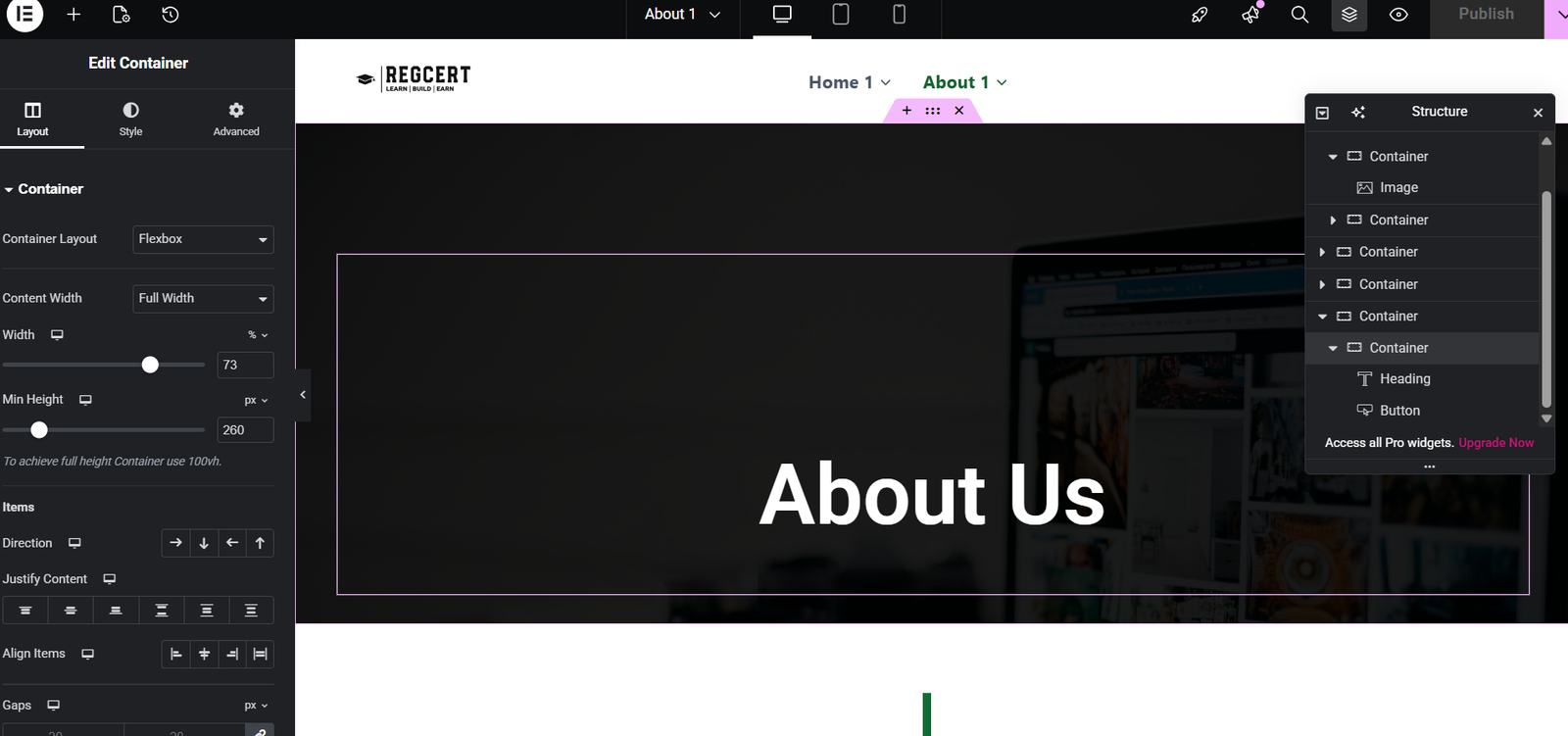
The About Us page is one of the most visited pages on any website. It tells your story, builds trust, and helps visitors understand who you are and what you offer. Learning how to design a website About Us page on WordPress using Elementor allows you to create a professional, engaging page without writing a single line of code.
Elementor’s drag-and-drop editor makes it easy for beginners to design beautiful About Us pages that look great on all devices. In this guide, you’ll learn step by step how to plan, design, and optimize an About Us page using Elementor.
Prefer Watching Tutorial
How to Design a Website About Us Page on WordPress Using Elementor
What Is an About Us Page?
An About Us page introduces your brand, business, or personal website to visitors. It explains:
- Who you are
- What you do
- Why you do it
- Why visitors should trust you
A well-designed About Us page increases credibility and improves conversions.
How to Create a Website Homepage in WordPress (Easy Guide for Beginners)
Why Use Elementor to Design an About Us Page?
Elementor is ideal for About Us page design because:
- No coding required
- Real-time visual editing
- Pre-designed sections and widgets
- Mobile-responsive layouts
How to Install Elementor on WordPress
Requirements Before You Start
Before designing your About Us page, make sure you have:
✔ A WordPress website
✔ Elementor plugin installed
✔ A compatible theme (Astra, Kadence, Hello)
✔ Basic content ready (text, images)
The Elementor plugin is activated in the WordPress dashboard
Step 1 – Create the About Us Page in WordPress
- Log in to your WordPress dashboard
- Go to Pages → Add New
- Title the page About Us
- Click Publish
- Click Edit with Elementor
Getting Started With the WordPress Dashboard
Step 2 – Plan Your About Us Page Layout
Before designing, could you decide what sections you need? A good About Us page layout includes:
- Hero section
- Company or personal story
- Mission and values
- Team section
- Call-to-action
Step 3 – Design the Hero Section
The hero section is the top area of your About Us page.
What to Include
- Page heading (About Us)
- Short introduction text
- Background image or color
Example Headline:
Helping Businesses Grow Online with Smart Digital Solutions
Step 4 – Add Your Story Section
This section explains your journey.
Tips for Writing Your Story
✔ Be authentic
✔ Keep it simple
✔ Focus on value you provide
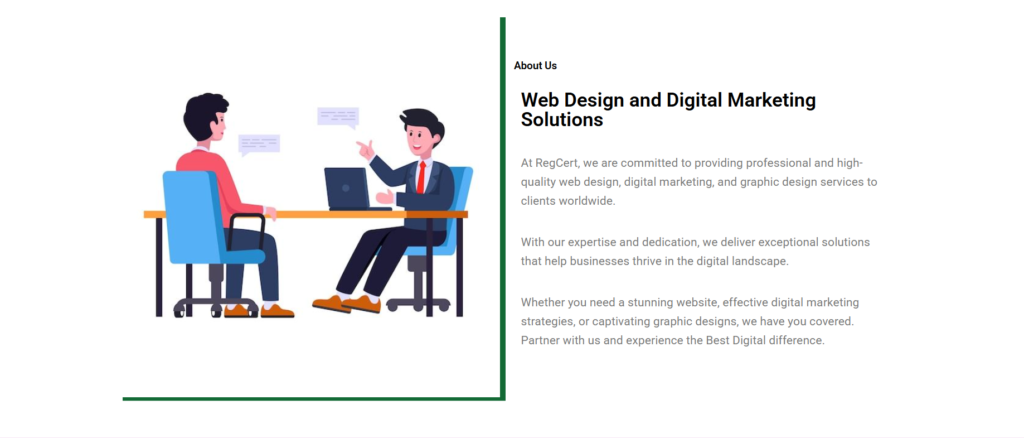
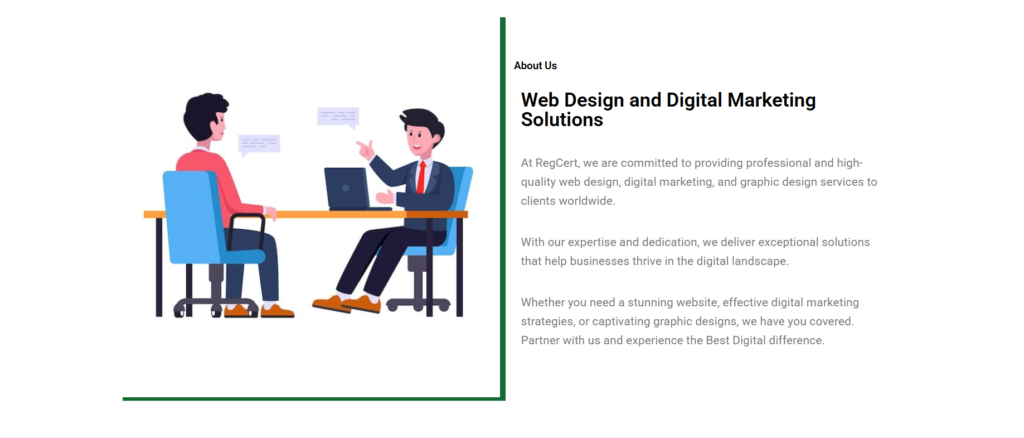
Use Elementor’s Text Editor widget and Image widget for a clean layout.
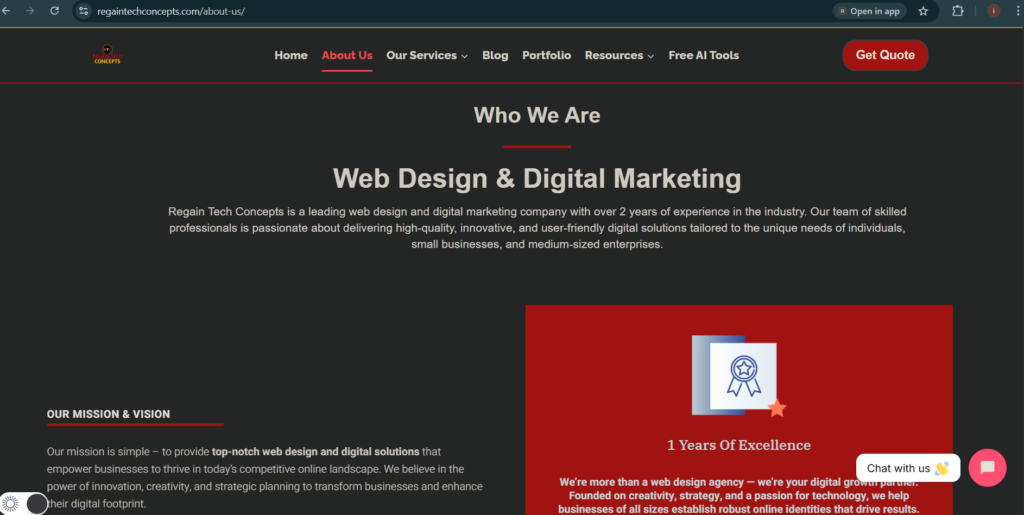
Step 5 – Add Mission, Vision, and Values
Highlight what drives your brand.
Recommended Layout
- Use Icon Box widgets
- Add short, clear descriptions
- Use consistent icons
Step 6 – Create a Team Section (Optional)
If you have a team, showcase them.
Team Section Elements
- Team member photo
- Name and role
- Short bio
Elementor’s Image Box widget works perfectly here.
Step 7 – Add Call-to-Action (CTA)
End your About Us page with a clear CTA.
CTA Examples
- Contact Us
- Learn More
- Get Started
Use Elementor’s Button widget to make it stand out.
How to Create Pages and Menus in WordPress
Step 8 – Make the Page Mobile Responsive
In Elementor:
- Click the Responsive Mode icon
- Adjust font sizes
- Check spacing on mobile
Mobile-friendly pages improve SEO and user experience.
Step 9 – Optimize About Us Page for SEO
To improve rankings:
- Use focus keyword naturally
- Add SEO title and meta description
- Optimize images with ALT text.
- Use H1 and H2 headings properly
Common About Us Page Design Mistakes
❌ Too much text
❌ No images or visuals
❌ No clear CTA
❌ Generic content
❌ Ignoring mobile design
Best About Us Page Design Tips
✔ Use real photos
✔ Keep tone friendly
✔ Show personality
✔ Focus on trust
✔ Keep layout simple
FAQs
-
Do I need Elementor Pro to design an About Us page?
No. Elementor Free is enough for a professional About Us page.
-
How long should an About Us page be?
Long enough to tell your story clearly, but not overwhelming.
-
Can I redesign my About Us page later?
Yes. Elementor allows easy updates anytime.
-
Does an About Us page affect SEO?
Yes. It improves trust, engagement, and internal linking.
Learning how to design a WordPress’ About Us’ page using Elementor helps you build trust, showcase your story, and connect with your audience. With Elementor’s drag-and-drop editor, you can create a beautiful and professional About Us pageeven as a beginner.
Start designing today and make your About Us page a powerful part of your website.
Table of Contents
Quick Links
- How to Turn a Smartphone Into a Full-Time Income Machine: Step-by-Step Guide.
- Essential WordPress Security Tips to Protect Your Website Effectively
- How to build your first website using Elementskit for free
- WordPress Posts vs Pages: What’s the Difference and When to Use Each
- How to Write Your First WordPress Blog Post (Step-by-Step Beginner Guide)



[…] How to Design a Website About Us Page on WordPress Using Elementor (Beginner Guide) […]
[…] How to Design a Website About Us Page on WordPress Using Elementor (Beginner Guide) […]
[…] How to Design a Website About Us Page on WordPress Using Elementor (Beginner Guide) […]