If you’re launching your first website, one of the most important decisions you’ll make is selecting the right hosting provider. But what exactly is WordPress hosting?
WordPress hosting is a web hosting service optimized specifically to run WordPress websites efficiently, securely, and reliably. It stores your website’s files and makes them accessible to visitors around the world.
For beginners, choosing the wrong hosting can result in:
- Slow loading speeds
- Frequent downtime
- Security vulnerabilities
- Poor SEO performance
Prefer Watching, Complete Video Tutorial
In this comprehensive guide, you’ll learn how to choose the best WordPress hosting for beginners, understand different hosting types, compare features, and confidently select a provider that supports your website’s growth.
Why WordPress Hosting Matters for Beginners
Your hosting provider directly impacts:
- Website speed
- Uptime reliability
- Security protection
- Search engine rankings
- User experience
Even the best WordPress theme or plugins cannot compensate for poor hosting. That’s why understanding how to choose the best WordPress hosting for beginners is essential for long-term success.
Types of WordPress Hosting Explained
Understanding hosting types helps beginners avoid overpaying or choosing a plan that’s too advanced.
1. Shared Hosting (Best for Most Beginners)
How it works: Multiple websites share one server.
Pros:
- Affordable pricing
- Easy setup
- Beginner-friendly
- Often includes one-click WordPress installation
Cons:
- Limited resources
- Performance may drop during traffic spikes
Best for: Personal blogs, small business websites, new projects.
2. VPS Hosting (Virtual Private Server)
How it works: A virtualized private environment within a shared server.
Pros:
- Better performance
- More control
- Scalable resources
Cons:
- More technical knowledge required
- Higher cost
Best for: Growing websites with increasing traffic.
3. Dedicated Hosting
How it works: Entire physical server dedicated to one website.
Pros:
- Maximum performance
- Full control
- High security
Cons:
- Expensive
- Requires technical expertise
Best for: Large enterprises (not beginners).

4. Managed WordPress Hosting
How it works: Hosting optimized exclusively for WordPress with maintenance handled by the provider.
Pros:
- Automatic updates
- Enhanced security
- Optimized speed
- Expert WordPress support
Cons:
- Higher price
- Limited flexibility
Best for: Beginners who want hands-off management.
Key Features to Look for in the Best WordPress Hosting for Beginners
When evaluating providers, prioritize these essential features:
1. Uptime Reliability (99.9% or Higher)
Frequent downtime damages credibility and SEO. Please be sure to look for hosting providers offering at least 99.9% uptime guarantee.
2. Speed and Performance Optimization
Fast hosting improves user experience and Google rankings.
Look for:
- SSD or NVMe storage
- Built-in caching
- CDN integration
Server-level optimization
3. Strong Security Measures
Security features should include:
- Free SSL certificate
- Firewall protection
- Malware scanning
- Automatic backups
4. Customer Support Quality
Beginners often need assistance.
Choose hosting with:
- 24/7 live chat support
- WordPress-trained technicians
- Knowledge base documentation
5. Easy WordPress Installation
Look for:
- One-click WordPress installation
- Pre-installed WordPress
- Beginner-friendly dashboards
Pricing Considerations: Balancing Cost with Value
Many hosting providers advertise low introductory prices. However, beginners should consider:
1. Renewal Pricing
Introductory rates may increase significantly after the first term.
2. Hidden Fees
Watch out for:
- Backup fees
- Domain renewal costs
- Email hosting charges
- Site migration fees
3. Value Over Price
The cheapest hosting isn’t always the best. Poor performance may cost more in lost traffic and SEO rankings.
Scalability and Growth Potential
As your website grows, your hosting must scale with it.
Choose providers that offer:
- Easy plan upgrades
- Increased bandwidth options
- Flexible storage expansion
- Cloud hosting integration
- Planning prevents expensive migrations later.
- Best WordPress Theme for Beginners: Complete Guide to Choosing the Right One (2026)
- How to Backup WordPress Website: Complete Step-by-Step Guide for Beginners (2026)
- How to Reset a WordPress Website and Start All Over (Complete Beginner Guide)
- WordPress Wonders: Beginner Tutorials to Build Stunning Websites
- Essential WordPress Tips for Aspiring Designers
- WordPress Wonders: Beginner Tutorials to Build Stunning Websites
- How to Reset a WordPress Website and Start All Over (Complete Beginner Guide)
Beginner-Friendly User Experience
When learning how to choose the best WordPress hosting for beginners, user experience is critical.
Look for:
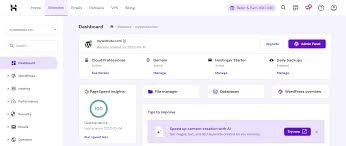
- Intuitive control panels (cPanel or custom dashboard)
- Simple domain management
- Automated updates
- Clear documentation
- Tutorial resources
- A clean dashboard saves hours of confusion.
- How to Backup WordPress Website: Complete Step-by-Step Guide for Beginners (2026)
- Best Web Hosting for WordPress Beginners (2025 Review)
SEO Impact of Hosting Choice
Hosting directly affects SEO in several ways:
1. Page Speed
Google prioritizes fast-loading websites. Slow servers increase bounce rates and reduce rankings.
2. Server Location
Hosting closer to your target audience improves loading time.
3. Uptime Stability
Frequent downtime prevents search engines from crawling your site effectively.
4. Security & SSL
Secure websites (HTTPS) rank better and build user trust.
Choosing the best WordPress hosting for beginners helps create a strong SEO foundation from day one.
Recommended WordPress Hosting Providers for Beginners
Based on reliability, performance, support quality, and beginner-friendliness, here are reputable options:
1. Bluehost
- Affordable shared hosting
- Officially recommended by WordPress.org
- Free domain for first year
- 24/7 support
Best for: Budget-conscious beginners.
2. SiteGround
- Excellent performance
- Strong security features
- Daily backups
- Beginner-friendly dashboard
Best for: Users prioritizing speed and support.
3. Hostinger
- Competitive pricing
- Good performance for entry-level plans
- Easy-to-use custom control panel
Best for: Beginners on tight budgets.
4. WP Engine (Managed Hosting)
- Premium managed WordPress hosting
- High-end performance
- Advanced security
- Automatic backups
Best for: Beginners who want premium managed services.
Learn WordPress web design one on one class
Quick Checklist: How to Choose the Best WordPress Hosting for Beginners
✔ Choose shared or managed hosting
✔ Verify 99.9% uptime guarantee
✔ Ensure fast SSD storage
✔ Confirm free SSL certificate
✔ Review renewal pricing
✔ Test customer support
✔ Plan for scalability
Summary
Learning how to choose the best WordPress hosting for beginners doesn’t have to be complicated.
Focus on:
- Reliability
- Speed
- Security
- Support
- Scalability
- Transparent pricing
For most beginners, shared hosting from a reputable provider is the best starting point. As your website grows, you can upgrade to VPS or managed WordPress hosting.
Your hosting is the foundation of your website. Choose wisely, and you’ll set yourself up for long-term success in SEO, performance, and user experience.