

WordPress powers over 40% of websites on the internet. If you’re new, understanding getting started with the WordPress dashboard is the first and most important step to building and managing your website successfully.
This guide will walk you through the WordPress dashboard layout, key features, and essential settings, even if you’ve never used WordPress before.
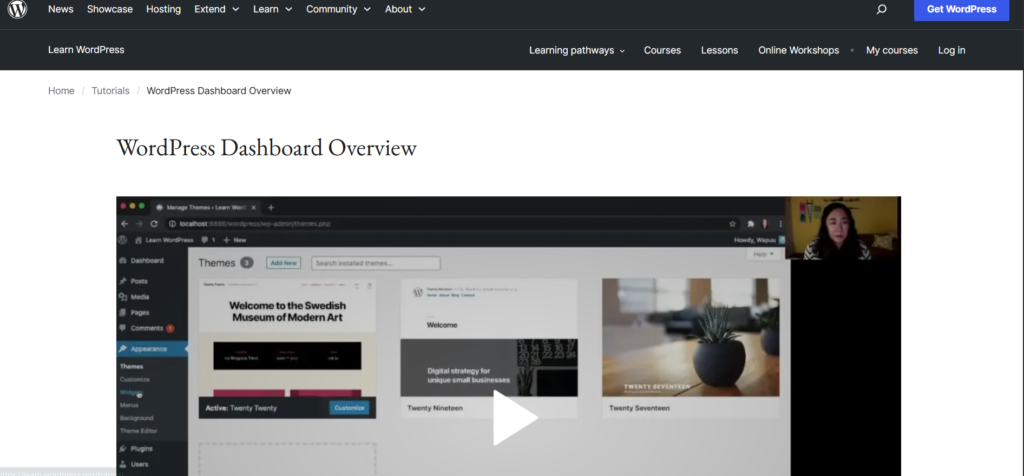
Watch Instead of Reading? Video Tutorial Available
In case you prefer learning visually, we’ve created a step-by-step WordPress Dashboard video tutorial that walks you through the WordPress Dashboard
What Is the WordPress Dashboard?
The WordPress dashboard is the control panel where you manage your entire website. From here, you can:
- Create blog posts and pages
- Install themes and plugins
- Customize your site design
- Manage users and settings
You can access the dashboard by visiting:
yourwebsite.com/wp-admin
Understanding the WordPress Dashboard Layout
When you log in, you’ll see:
- Top Admin Bar – Quick access to site and user options
- Main Dashboard Area – Updates, site activity, and news
- Left Sidebar Menu – Core website management tools
Introduction to WordPress Web Design: A Beginner’s Step-by-Step Guide
Key WordPress Dashboard Menu Items
Posts
Used for blog content. Posts appear in reverse chronological order.
Pages
Used for static content like:
- About
- Contact
- Privacy Policy
Media
Manage images, videos, and files uploaded to your site.
Appearance
Control your site’s design:
- Themes
- Menus
- Widgets
- Customize layout
How to Host a Website for Free (Beginner-Friendly Guide)
Plugins
Plugins add extra features like:
- SEO tools
- Security
- Speed optimization
Settings
This section controls how your website works, including:
- Site title and tagline
- Permalinks
- Reading and discussion settings
Always save changes carefully.
Essential Dashboard Settings for Beginners
Permalinks
Go to Settings → Permalinks and select Post name for better SEO.
General Settings
Set:
- Website title
- Timezone
- Admin email
Common Beginner Mistakes to Avoid
❌ Installing too many plugins
❌ Ignoring updates
❌ Using weak passwords
❌ Forgetting to back up your site
Do you know if the WordPress Dashboard is beginner-friendly?
Yes! WordPress is designed for non-technical users. With a little practice, you’ll be able to:
- Publish content confidently
- Customize your site
- Grow traffic and income
How to Install WordPress on cPanel (Step-by-step Beginner-Friendly)
Click here for free resources
FAQs
Do I need coding skills to use WordPress?
No. WordPress works without coding knowledge.
Can I customize my dashboard?
Yes. You can hide widgets and rearrange menus.
Is the WordPress dashboard the same on all hosting platforms?
Mostly yes, though some hosts add extra tools.
Mastering getting started with the WordPress dashboard is the foundation of building a successful website or blog. Once you understand the dashboard, managing content, design, and growth becomes easy.
Take time to explore each menu. WordPress gets easier every day you use it.
Quick Links
Table of Contents
Quick Links
- How to Turn a Smartphone Into a Full-Time Income Machine: Step-by-Step Guide.
- Essential WordPress Security Tips to Protect Your Website Effectively
- How to build your first website using Elementskit for free
- WordPress Posts vs Pages: What’s the Difference and When to Use Each
- How to Write Your First WordPress Blog Post (Step-by-Step Beginner Guide)



[…] Getting Started With the WordPress Dashboard (Beginner’s Guide) […]
[…] Getting Started With the WordPress Dashboard (Beginner’s Guide) […]
[…] Getting Started With the WordPress Dashboard (Beginner’s Guide) […]
[…] Getting Started With the WordPress Dashboard (Beginner’s Guide) […]
[…] Getting Started With the WordPress Dashboard (Beginner’s Guide) […]
[…] Getting Started With the WordPress Dashboard […]
[…] Getting Started With the WordPress Dashboard (Beginner’s Guide) […]
[…] Getting Started With the WordPress Dashboard (Beginner’s Guide) […]
[…] Getting Started With the WordPress Dashboard (Beginner’s Guide) […]
[…] Getting Started With the WordPress Dashboard (Beginner’s Guide) […]