If you’re new to website creation, choosing the right platform can feel overwhelming. With so many website builders and content management systems available, beginners often struggle to decide where to start.
That’s where WordPress stands out.
Understanding the benefits of WordPress web design for beginners can help you make a confident decision. WordPress powers over 40% of websites worldwide because it offers flexibility, scalability, affordability, and powerful SEO capabilities — all while remaining beginner-friendly.
In this comprehensive guide, we’ll explore why WordPress is the ideal platform for novice web designers and how it supports long-term online success.
Why WordPress Is Ideal for Beginners
WordPress is an open-source content management system (CMS) that allows users to build and manage websites without advanced coding skills.
The major benefits of WordPress web design for beginners include:
- Ease of use
- Extensive customization options
- Strong SEO foundation
- Cost-effectiveness
- Massive community support
- Long-term scalability
Let’s break these down in detail.
Prefer Watching Video
1. User-Friendly Interface
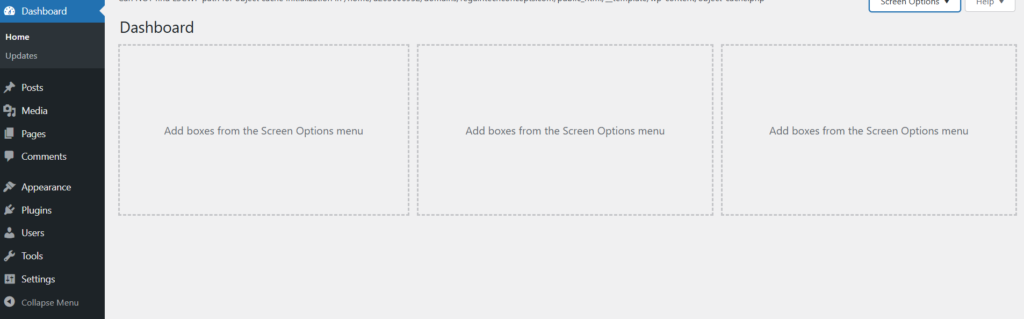
One of the biggest benefits of WordPress web design for beginners is its intuitive dashboard.
Simple Dashboard Navigation
The WordPress admin panel allows users to:
- Create posts and pages easily
- Upload images and media
- Install themes and plugins
- Manage menus and widgets
Everything is organized clearly, reducing the learning curve for first-time users.
No Coding Required
With modern page builders like Elementor or Gutenberg (WordPress’s default editor), beginners can design visually using drag-and-drop functionality.
2. Extensive Theme Ecosystem
Design flexibility is another major advantage.
Thousands of Free and Premium Themes
WordPress offers:
- Free themes in the official repository
- Premium themes for advanced customization
- Industry-specific templates (blog, business, eCommerce, portfolio)
Beginners can launch a professional-looking website in minutes without hiring a designer.
Customization Without Complexity
Most themes allow:
- Color customization
- Font adjustments
- Layout modifications
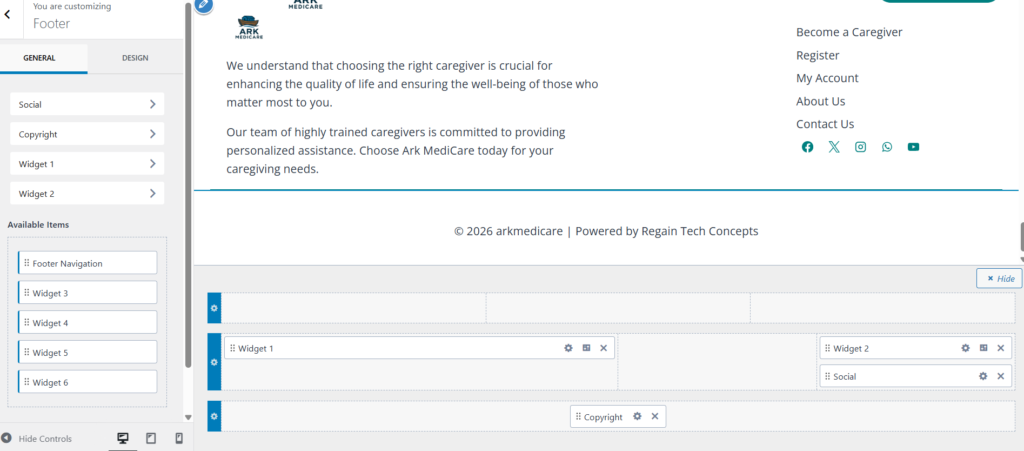
- Header and footer editing
This flexibility makes WordPress web design accessible to non-technical users.
3. Powerful Plugin Ecosystem
Another key benefit of WordPress web design for beginners is its vast plugin library.
Plugins extend website functionality without coding.
Do you need a website? Hire us
Essential Plugin Categories
- SEO optimization
- Security enhancement
- Performance improvement
- Backup management
- Contact forms
- eCommerce integration
Instead of building features from scratch, beginners simply install plugins to add new capabilities.
This modular system keeps websites scalable and customizable.
- Best Web Hosting for WordPress Beginners (2025 Review)
- Getting Started With the WordPress Dashboard (Beginner’s Guide)
- Best WordPress Theme for Beginners: Complete Guide to Choosing the Right One (2026)
- How to Backup WordPress Website: Complete Step-by-Step Guide for Beginners (2026)
4. Built-In SEO Advantages
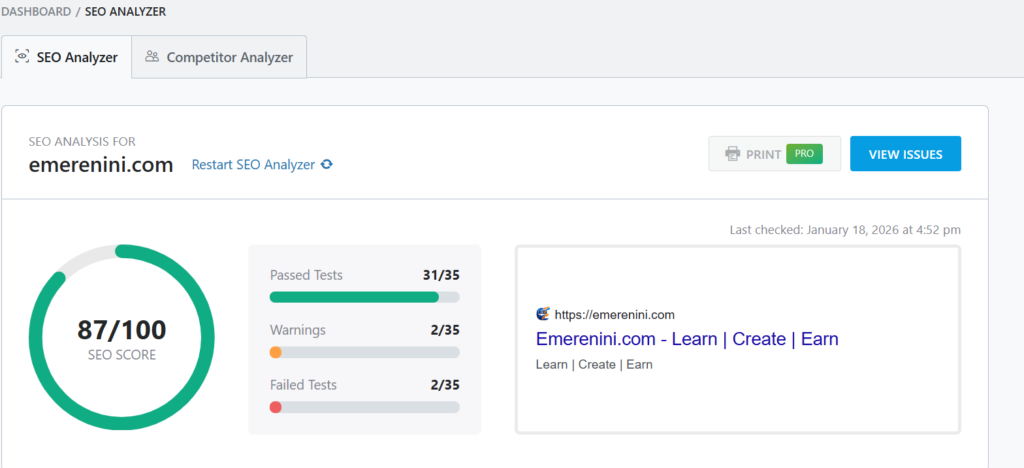
WordPress is known for being SEO-friendly out of the box.
Clean Code Structure
WordPress generates search-engine-friendly URLs and allows:
- Custom permalinks
- Easy meta description editing
- Image ALT text customization
- Proper heading structure (H1, H2, H3)
Advanced SEO Plugins
Plugins like Rank Math or Yoast SEO help beginners:
- Optimize content for target keywords
- Improve readability
- Generate XML sitemaps
- Add schema markup
- Analyze on-page SEO
This significantly enhances discoverability on Google.
5. Cost-Effectiveness
Budget constraints are common for beginners.
Free Core Software
WordPress itself is free and open-source.
Affordable Hosting Options
Beginners can start with low-cost shared hosting plans.
Free Themes and Plugins
Many essential tools are available at no cost, reducing startup expenses.
Compared to custom web development, WordPress is extremely cost-efficient.
6. Scalability for Growth
Many beginners start small but plan to grow.
WordPress supports:
- Small blogs
- Business websites
- Membership platforms
- Online stores
- Enterprise-level sites
You don’t need to migrate platforms as your website grows.
This scalability is one of the long-term benefits of WordPress web design for beginners.
- Benefits of WordPress Web Design for Beginners (Complete 2026 Guide)
- How to Choose the Best WordPress Hosting for Beginners (Complete 2026 Guide)
- Essential WordPress Plugins Every Beginner Needs (Complete 2026 Guide)
7. Strong Community Support
WordPress has one of the largest online communities in the world.
Available Resources
- Tutorials and blog guides
- YouTube walkthroughs
- Developer forums
- Documentation libraries
If beginners encounter issues, solutions are often just a quick search away.
Community support significantly reduces frustration during the learning process.
8. Security Features and Control
Security is a concern for new website owners.
WordPress offers:
- Regular core updates
- Security plugins
- SSL integration
- Role-based user permissions
With proper hosting and plugins, beginners can maintain a secure website environment.
Summary
The benefits of WordPress web design for beginners go far beyond simplicity.
WordPress provides:
- User-friendly design tools
- Unlimited customization
- Powerful SEO capabilities
- Budget-friendly setup
- Long-term scalability
- Massive community support
For beginners looking to build a professional online presence without advanced technical skills, WordPress remains the most powerful and flexible platform available.
By leveraging its themes, plugins, and SEO tools strategically, new website owners can compete effectively in search rankings while building a scalable digital foundation.
Table of Contents
Pages
Posts
- How to Turn a Smartphone Into a Full-Time Income Machine: Step-by-Step Guide.
- Essential WordPress Security Tips to Protect Your Website Effectively
- How to build your first website using Elementskit for free
- WordPress Posts vs Pages: What’s the Difference and When to Use Each
- How to Write Your First WordPress Blog Post (Step-by-Step Beginner Guide)