WordPress Wonders: Beginner Tutorials to Build Stunning Websites

WordPress Wonders: Beginner Tutorials to Build Stunning Websites

Starting your journey with WordPress can feel overwhelming: themes, plugins, SEO settings, customization options. Where do you even begin?

The good news? You don’t need to be a developer to create a professional-looking website.

In this comprehensive guide, you’ll discover beginner-friendly WordPress tutorials designed to help you:

  • Build stunning websites from scratch
  • Optimize your content for search engines
  • Customize themes without coding stress
  • Improve user engagement and conversions

If you’re ready to unlock the full potential of WordPress, this guide will show you exactly how to do it step by step.
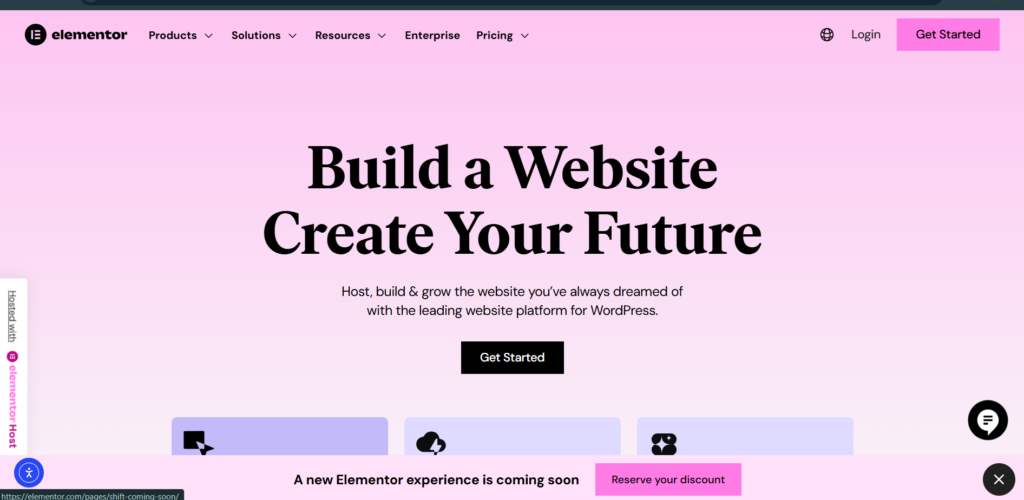
Elementor page builder interface for WordPress web design

Why WordPress Is Perfect for Beginners

Before diving into the tutorials, let’s understand why WordPress is such a powerful platform.

WordPress powers over 40% of websites worldwide and is trusted by bloggers, businesses, and creators alike. With tools like Elementor and SEO plugins such as Yoast SEO, beginners can create professional websites without advanced coding skills.

Key Benefits:

  • User-friendly dashboard
  • Thousands of themes and plugins
  • SEO-friendly structure
  • Full customization control
  • Strong community support

Now, let’s explore the tutorials that will truly wow your audience.

Essential WordPress Tips for Aspiring Designers

1️⃣ How to Build a Stunning WordPress Website (Step-by-Step)

Step 1: Choose the Right Theme

Your theme controls your website’s design and layout. Choose one that is:

  • Lightweight and fast
  • Mobile responsive
  • Compatible with page builders
  • Regularly updated

Popular beginner-friendly themes include:

  • Astra
  • GeneratePress
  • Kadence

How to Create a Custom Contact Form Using Forminator

WordPress Wonders: Beginner Tutorials to Build Stunning Websites

Step 2: Customize with a Page Builder

Using a visual builder like Elementor allows you to:

  • Drag and drop sections
  • Customize headers and footers
  • Design landing pages
  • Adjust layouts without code

Pro Tip: Keep your layout clean and use plenty of white space. Simplicity often looks more professional.

How to Design a High-Converting Contact Page with Elementor (Step-by-Step)

2️⃣ How to Optimize Your WordPress Website for SEO

If your website isn’t optimized for search engines, your audience won’t find you.

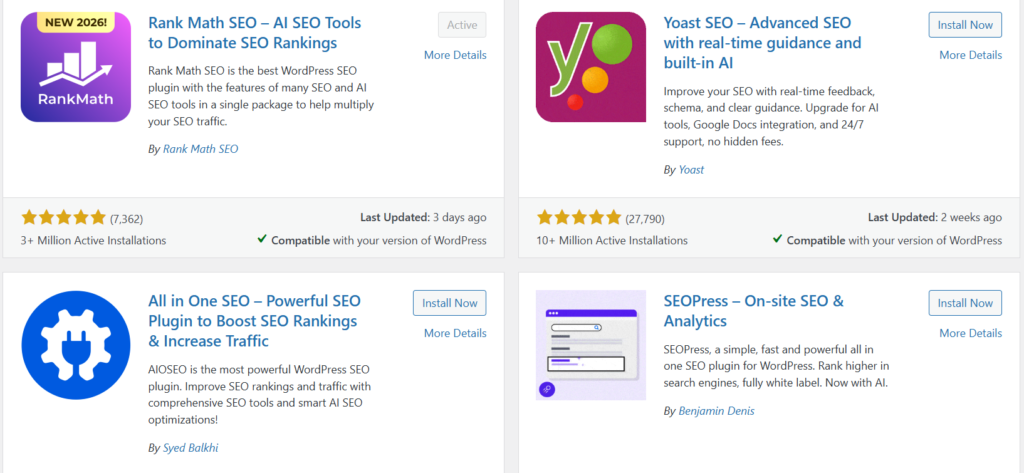
Install an SEO Plugin

Beginners should install:

  • Yoast SEO
  • or Rank Math

These tools guide you in optimizing:

  • Page titles
  • Meta descriptions
  • Keywords
  • Readability
How to Optimize Your WordPress Website for SEO

Basic SEO Checklist for Beginners

✔ Use one primary keyword per page
✔ Write compelling meta descriptions
✔ Use proper heading structure (H1, H2, H3)
✔ Add ALT text to images 

✔ Create internal links
✔ Improve page speed

Search engines like Google prioritize fast, user-friendly websites — so design and SEO must work together.

How to Design a Website Service Page Using WordPress

3️⃣ How to Customize WordPress Themes Like a Pro

Customization helps your website stand out from generic templates.

Beginner Customization Tips

  • Adjust typography for better readability
  • Customize brand colors
  • Use high-quality images
  • Create consistent button styles
  • Optimize spacing and layout alignment

If you want more control, learning basic CSS can dramatically expand your design possibilities.

Default
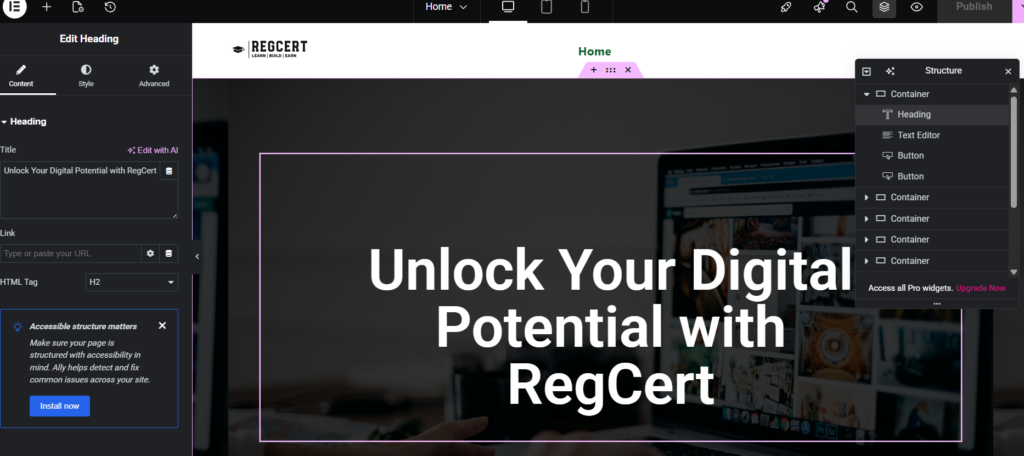
How to design a website home page on WordPress

Template

WordPress Wonders: Beginner Tutorials to Build Stunning Websites

4️⃣ Improve User Engagement and Conversions

A beautiful website is not enough it must engage visitors.

Simple Ways to Boost Engagement

  • Add clear call-to-action buttons
  • Use contact forms
  • Include testimonials
  • Add social proof
  • Improve navigation clarity

For forms, consider beginner-friendly plugins like WPForms or Forminator.

Improve Page Speed for Better Retention

Slow websites lose visitors fast.

Optimize by:

  • Compressing images
  • Using caching plugins
  • Choosing reliable hosting
  • Minimizing unnecessary plugins

Speed improvements enhance both user experience and SEO rankings.

How to install Elementor on WordPress

5️⃣ Beginner Mistakes to Avoid

Learning what not to do is just as important.

Avoid These Common Errors:

❌ Installing too many plugins
❌ Using heavy, poorly coded themes
❌ Ignoring mobile responsiveness
❌ Skipping SEO setup
❌ Not backing up your site

Keeping your website clean, optimized, and focused ensures long-term success.

6️⃣ Essential Tools Every Beginner Should Use

Here’s a simple toolkit to get started:

  • Page Builder: Elementor
  • SEO Plugin: Rank Math
  • Security Plugin: Wordfence
  • Backup Plugin: UpdraftPlus
  • Performance Plugin: WP Rocket

These tools give beginners professional-level capabilities without complexity.

7️⃣ Your Step-by-Step WordPress Success Plan

Here’s a simple roadmap:

  • Choose a fast, responsive theme
  • Install essential plugins only
  • Customize layout with a page builder
  • Optimize content for SEO
  • Improve speed and responsiveness
  • Test before publishing
  • Keep learning and refining

Consistency and practice are the keys to mastering WordPress.

Unlock the Full Potential of WordPress

WordPress is more than just a website builder — it’s a powerful platform that allows beginners to create stunning, professional websites with minimal technical skills.

By following these beginner-friendly WordPress tutorials, you can:

  • Build visually impressive websites
  • Rank higher in search engines
  • Increase user engagement
  • Create a strong online presence

The best part? You don’t need to be a developer to wow your audience.

Start small, apply what you learn step by step, and watch your WordPress skills grow.

Get a fast, mobile-friendly, and conversion-focused website tailored to your brand and audience.




		[{"id":1907,"link":"https:\/\/emerenini.com\/wordpress-wonders-beginner-tutorials-to-build-stunning-websites\/","name":"wordpress-wonders-beginner-tutorials-to-build-stunning-websites","thumbnail":{"url":"https:\/\/emerenini.com\/mejosom\/uploads\/2026\/02\/pexels-canvy-mockups-56805-205316.jpg","alt":"WordPress Wonders: Beginner Tutorials to Build Stunning Websites"},"title":"WordPress Wonders: Beginner Tutorials to Build Stunning Websites","postMeta":[],"author":{"name":"Emerenini Maduabuchi","link":"https:\/\/emerenini.com\/author\/maduabuchiemereninigmail-com\/"},"date":"Feb 15, 2026","dateGMT":"2026-02-15 19:17:29","modifiedDate":"2026-02-15 20:17:32","modifiedDateGMT":"2026-02-15 19:17:32","commentCount":"0","commentStatus":"open","categories":{"coma":"<a href=\"https:\/\/emerenini.com\/category\/wordperss-tutorials\/\" rel=\"category tag\">WordPress Tutorials<\/a>","space":"<a href=\"https:\/\/emerenini.com\/category\/wordperss-tutorials\/\" rel=\"category tag\">WordPress Tutorials<\/a>"},"taxonomies":{"post_tag":"<a href='https:\/\/emerenini.com\/tag\/build-stunning-websites\/' rel='post_tag'>Build stunning websites<\/a><a href='https:\/\/emerenini.com\/tag\/wordpress-for-beginners\/' rel='post_tag'>WordPress for beginners<\/a>"},"readTime":{"min":3,"sec":59},"status":"publish","excerpt":""},{"id":1890,"link":"https:\/\/emerenini.com\/essential-wordpress-tips-for-aspiring-designers\/","name":"essential-wordpress-tips-for-aspiring-designers","thumbnail":{"url":"https:\/\/emerenini.com\/mejosom\/uploads\/2026\/02\/pexels-alleksana-4185957.jpg","alt":"Essential WordPress Tips for Aspiring Designers"},"title":"Essential WordPress Tips for Aspiring Designers","postMeta":[],"author":{"name":"Emerenini Maduabuchi","link":"https:\/\/emerenini.com\/author\/maduabuchiemereninigmail-com\/"},"date":"Feb 15, 2026","dateGMT":"2026-02-15 18:02:29","modifiedDate":"2026-02-15 19:17:49","modifiedDateGMT":"2026-02-15 18:17:49","commentCount":"0","commentStatus":"open","categories":{"coma":"<a href=\"https:\/\/emerenini.com\/category\/wordperss-tutorials\/\" rel=\"category tag\">WordPress Tutorials<\/a>","space":"<a href=\"https:\/\/emerenini.com\/category\/wordperss-tutorials\/\" rel=\"category tag\">WordPress Tutorials<\/a>"},"taxonomies":{"post_tag":"<a href='https:\/\/emerenini.com\/tag\/web-design-tips\/' rel='post_tag'>web design tips<\/a><a href='https:\/\/emerenini.com\/tag\/website\/' rel='post_tag'>Website<\/a><a href='https:\/\/emerenini.com\/tag\/wordpress\/' rel='post_tag'>WordPress<\/a><a href='https:\/\/emerenini.com\/tag\/wordpress-tips\/' rel='post_tag'>wordpress tips<\/a>"},"readTime":{"min":5,"sec":30},"status":"publish","excerpt":""},{"id":1874,"link":"https:\/\/emerenini.com\/how-to-create-a-custom-contact-form-using-forminator\/","name":"how-to-create-a-custom-contact-form-using-forminator","thumbnail":{"url":"https:\/\/emerenini.com\/mejosom\/uploads\/2026\/02\/pexels-brettjordan-5444631.jpg","alt":"How to Design a High-Converting Contact Page with Elementor"},"title":"How to Create a Custom Contact Form Using Forminator","postMeta":[],"author":{"name":"Emerenini Maduabuchi","link":"https:\/\/emerenini.com\/author\/maduabuchiemereninigmail-com\/"},"date":"Feb 14, 2026","dateGMT":"2026-02-14 07:42:13","modifiedDate":"2026-02-14 08:42:15","modifiedDateGMT":"2026-02-14 07:42:15","commentCount":"0","commentStatus":"open","categories":{"coma":"<a href=\"https:\/\/emerenini.com\/category\/wordperss-tutorials\/\" rel=\"category tag\">WordPress Tutorials<\/a>","space":"<a href=\"https:\/\/emerenini.com\/category\/wordperss-tutorials\/\" rel=\"category tag\">WordPress Tutorials<\/a>"},"taxonomies":{"post_tag":"<a href='https:\/\/emerenini.com\/tag\/contact-page-design\/' rel='post_tag'>contact page design<\/a><a href='https:\/\/emerenini.com\/tag\/conversion-optimization\/' rel='post_tag'>conversion optimization<\/a><a href='https:\/\/emerenini.com\/tag\/elementor-contact-page\/' rel='post_tag'>Elementor contact page<\/a><a href='https:\/\/emerenini.com\/tag\/high-converting-contact-page-2\/' rel='post_tag'>high-converting contact page<\/a><a href='https:\/\/emerenini.com\/tag\/wordpress-contact-page\/' rel='post_tag'>WordPress contact page<\/a>"},"readTime":{"min":4,"sec":19},"status":"publish","excerpt":""},{"id":1861,"link":"https:\/\/emerenini.com\/how-to-design-a-high-converting-contact-page-with-elementor-step-by-step\/","name":"how-to-design-a-high-converting-contact-page-with-elementor-step-by-step","thumbnail":{"url":"https:\/\/emerenini.com\/mejosom\/uploads\/2026\/02\/pexels-david-besh-884788.jpg","alt":"How to Design a High-Converting Contact Page with Elementor"},"title":"How to Design a High-Converting Contact Page with Elementor (Step-by-Step)","postMeta":[],"author":{"name":"Emerenini Maduabuchi","link":"https:\/\/emerenini.com\/author\/maduabuchiemereninigmail-com\/"},"date":"Feb 7, 2026","dateGMT":"2026-02-07 15:42:30","modifiedDate":"2026-02-12 18:29:34","modifiedDateGMT":"2026-02-12 17:29:34","commentCount":"0","commentStatus":"open","categories":{"coma":"<a href=\"https:\/\/emerenini.com\/category\/wordperss-tutorials\/\" rel=\"category tag\">WordPress Tutorials<\/a>","space":"<a href=\"https:\/\/emerenini.com\/category\/wordperss-tutorials\/\" rel=\"category tag\">WordPress Tutorials<\/a>"},"taxonomies":{"post_tag":"<a href='https:\/\/emerenini.com\/tag\/contact-page-design\/' rel='post_tag'>contact page design<\/a><a href='https:\/\/emerenini.com\/tag\/conversion-optimization\/' rel='post_tag'>conversion optimization<\/a><a href='https:\/\/emerenini.com\/tag\/high-converting-contact-page\/' rel='post_tag'>high-converting contact page.<\/a><a href='https:\/\/emerenini.com\/tag\/wordpress-contact-page\/' rel='post_tag'>WordPress contact page<\/a>"},"readTime":{"min":4,"sec":22},"status":"publish","excerpt":""},{"id":1829,"link":"https:\/\/emerenini.com\/how-to-design-a-website-service-page-using-wordpress\/","name":"how-to-design-a-website-service-page-using-wordpress","thumbnail":{"url":"https:\/\/emerenini.com\/mejosom\/uploads\/2026\/02\/Screenshot-2026-02-03-073650.png","alt":"Service list"},"title":"How to Design a Website Service Page Using WordPress","postMeta":[],"author":{"name":"Emerenini Maduabuchi","link":"https:\/\/emerenini.com\/author\/maduabuchiemereninigmail-com\/"},"date":"Feb 3, 2026","dateGMT":"2026-02-03 16:50:48","modifiedDate":"2026-02-04 16:27:56","modifiedDateGMT":"2026-02-04 15:27:56","commentCount":"1","commentStatus":"open","categories":{"coma":"<a href=\"https:\/\/emerenini.com\/category\/wordperss-tutorials\/\" rel=\"category tag\">WordPress Tutorials<\/a>","space":"<a href=\"https:\/\/emerenini.com\/category\/wordperss-tutorials\/\" rel=\"category tag\">WordPress Tutorials<\/a>"},"taxonomies":{"post_tag":"<a href='https:\/\/emerenini.com\/tag\/service-page-design\/' rel='post_tag'>service page design<\/a><a href='https:\/\/emerenini.com\/tag\/website-services-page\/' rel='post_tag'>Website services page<\/a><a href='https:\/\/emerenini.com\/tag\/wordpress-for-beginners\/' rel='post_tag'>WordPress for beginners<\/a><a href='https:\/\/emerenini.com\/tag\/wordpress-service-page\/' rel='post_tag'>WordPress service page<\/a><a href='https:\/\/emerenini.com\/tag\/wordpress-website-design\/' rel='post_tag'>WordPress website design<\/a>"},"readTime":{"min":4,"sec":26},"status":"publish","excerpt":""}]	

Leave a Reply

Your email address will not be published. Required fields are marked *