

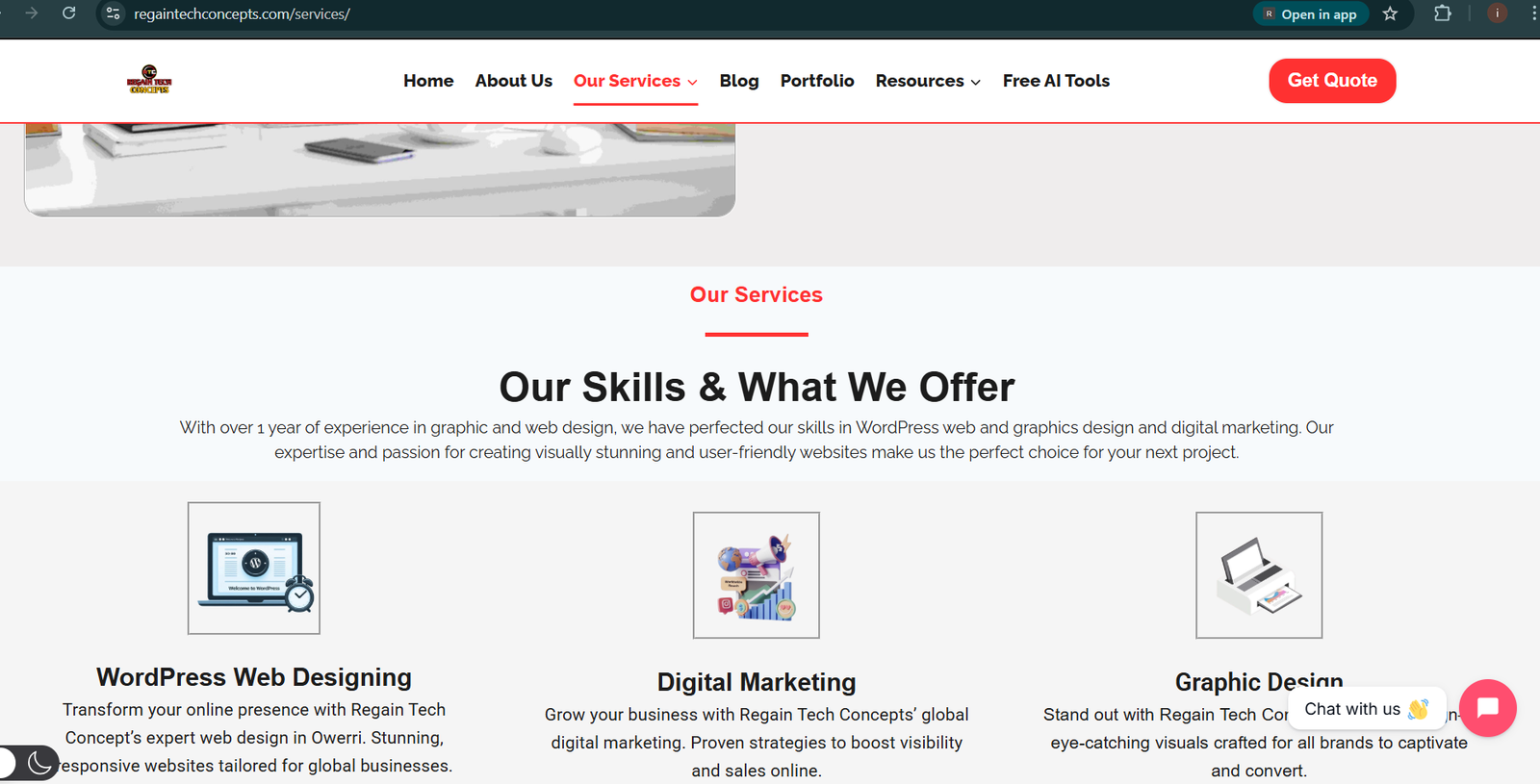
A well-designed service page is one of the most important pages on any WordPress website. Whether you’re offering web design, digital marketing, consulting, or any online service, your service page plays a major role in converting visitors into customers.
If you’re wondering how to design a website service page using WordPress, this beginner-friendly guide will walk you through everything step by step without coding. You’ll learn how to structure your service page, what content to include, and how to design it professionally using WordPress tools.
By the end of this article, you’ll be able to create a clean, responsive, and conversion-focused service page that builds trust and drives leads.
Prefer Watching Full Video instead of Reading,
Full Tutorial Coming Soon
What Is a Website Service Page?
A service page is a dedicated page on your website that explains:
- What service do you offer
- Who the service is for
- How your service solves problems
- Why clients should choose you
- How visitors can contact or hire you
Unlike blog posts, service pages are designed to sell your services, not just provide information.
Why a Well-Designed Service Page Matters
Designing a professional service page helps you:
- Build credibility and trust
- Clearly explain your offerings
- Improve SEO rankings
- Increase inquiries and sales
- Reduce visitor confusion
When you properly design a website service page using WordPress, you improve both user experience and search engine visibility

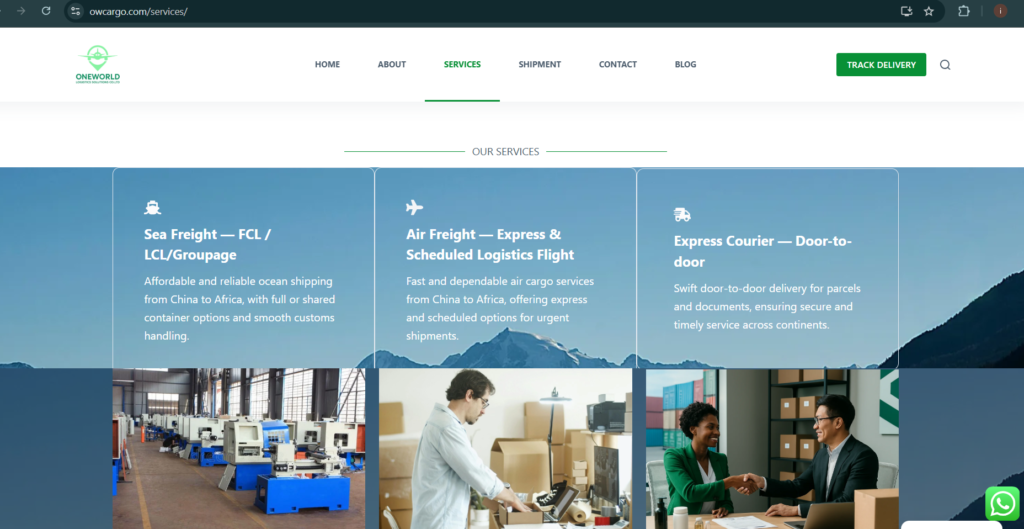
our services
Planning Your Service Page Content
Before opening WordPress, you can just plan your service page structure. A high-converting service page usually includes:
- Clear service headline
- Short introduction
- List of services or features
- Benefits for clients
- Pricing or packages (optional)
- Testimonials or social proof
- Strong call-to-action (CTA)
Planning this content makes the design process much easier.
How to Design a Website Service Page Using WordPress
Step 1: Create a New Page in WordPress
- Log in to your WordPress dashboard
- Go to Pages – Add New
- Name the page (e.g., “Service” or What We Offer”)
- Click Publishor Save Draft
Step 2: Choose a Page Builder or Editor
You can design your service page using:
- Gutenberg (Block Editor) is the default WordPress editor
- Elementor – drag-and-drop page builder
- Theme builders (Kadence, Astra, GeneratePress
For beginners, Elementor or Gutenberg is highly recommended for easy customization.
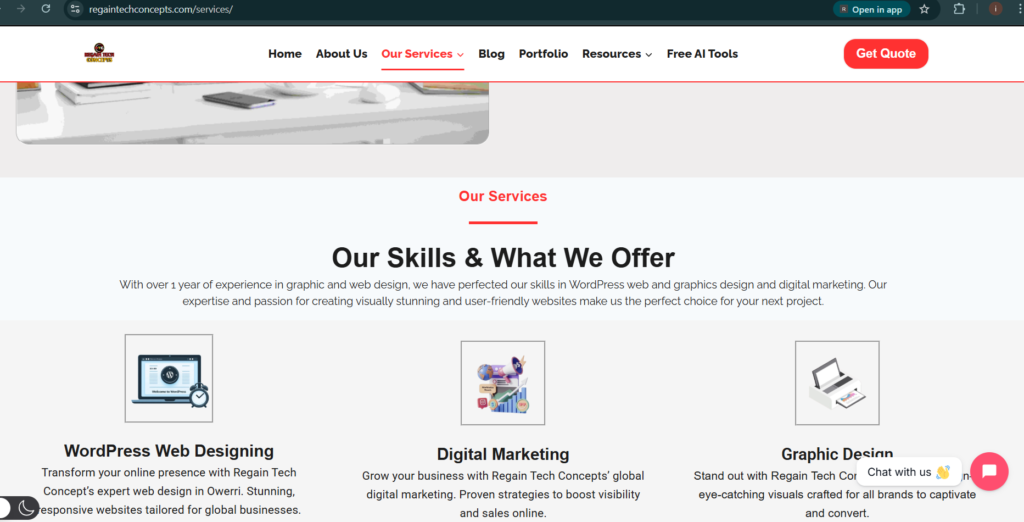
Step 4: Highlight Your Services Clearly
Use sections or cards to list your services. Each service should include:
- Service name
- Short description
- Key benefit
Avoid long paragraphs. Keep the content scannable.
Step 5: Explain Benefits, Not Just Features
Clients care more about results than technical details. Instead of listing features only, explain how your service helps them.
Example:
- Feature: Website redesign
- Benefit: Faster loading website that increases conversions
Step 6: Add Trust Elements
Build credibility by adding:
- Client testimonials
- Reviews
- Certifications
- Years of experience
- Portfolio samples
Trust signals increase conversions significantly on service pages.
Step 7: Add a Clear Call-to-Action (CTA)
Every service page should guide visitors to take action. Common CTAs include:
- Contact Us
- Get a Free Quote
- Book a Consultation
- Request Pricing
Place CTAs at the top, middle, and bottom of the page. Click here for a live example
Introduction to WordPress Web Design: A Beginner’s Step-by-Step Guide
How to Install WordPress on cPanel (Step-by-step Beginner-Friendly)
How to Host a Website for Free (Beginner-Friendly Guide)
Getting Started With the WordPress Dashboard (Beginner’s Guide)
How to Install a Theme on WordPress (Step-by-Step Guide)
How to Create Pages and Menus in WordPress (Beginner Guide)
How to Design Header and Footer Using Kadence Theme
How to Design a Website About Us Page on WordPress Using Elementor (Beginner Guide)
How to Create a Website Homepage in WordPress (Easy Guide for Beginners)
Common Mistakes to Avoid
- Using too much text
- No clear CTA
- Poor mobile design
- Slow-loading images
- Not explaining benefits
- IgnoringSEO optimization
Avoiding these mistakes helps your service page perform better.
Frequently Asked Questions (FAQ)
-
Can I design a service page on WordPress without coding?
Yes, WordPress page builders like Elementor and Gutenberg allow you to design service pages without any coding.
-
Which theme is best for service pages?
Popular options include Astra, Kadence, GeneratePress, and Hello Elementor.
-
Should each service have its own page?
For SEO and clarity, it’s recommended to create individual pages for major services.
-
Is a service page important for SEO?
Yes. Service pages help you rank for commercial keywords and attract potential clients
Learning how to design a service page for your website using WordPress is essential for anyone offering services online. A well-structured service page helps you communicate value, build trust, and convert visitors into customers.
With the right layout, clear content, strong CTAs, and proper SEO optimization, your WordPress service page can become one of the most powerful pages on your website. Start designing today and turn your website into a lead-generating machine.
Table of Contents
Pages
Posts
- How to Turn a Smartphone Into a Full-Time Income Machine: Step-by-Step Guide.
- Essential WordPress Security Tips to Protect Your Website Effectively
- How to build your first website using Elementskit for free
- WordPress Posts vs Pages: What’s the Difference and When to Use Each
- How to Write Your First WordPress Blog Post (Step-by-Step Beginner Guide)




[…] How to Design a Website Service Page Using WordPress […]
[…] How to Design a Website Service Page Using WordPress […]
[…] How to Design a Website Service Page Using WordPress […]